Applications
Launch desktop applications
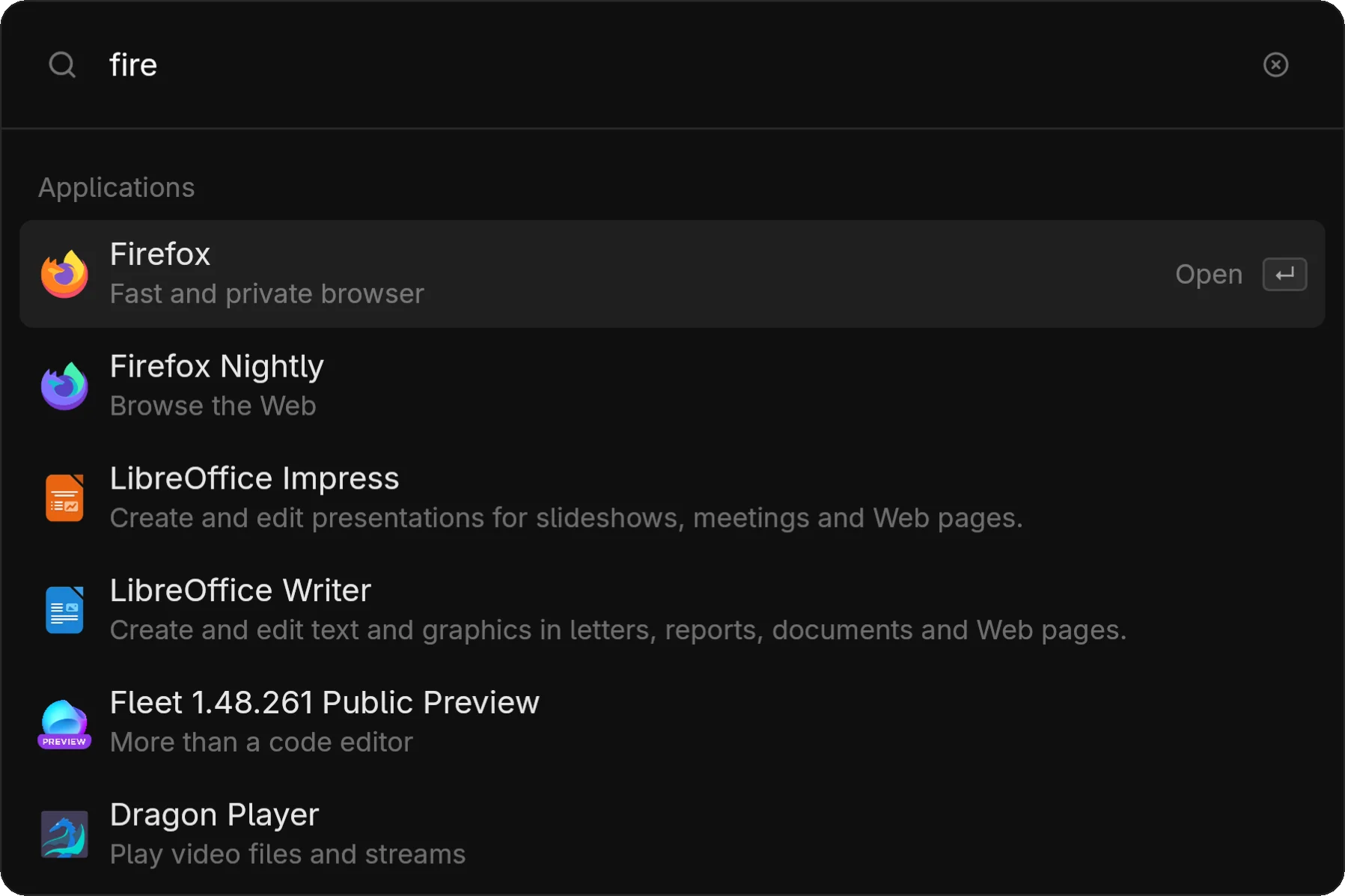
The applications module lets you search and launch installed desktop applications.
How It Works
zlaunch scans .desktop files from standard XDG directories:
/usr/share/applications/~/.local/share/applications/- Other directories in
$XDG_DATA_DIRS
Applications are indexed with their name, description, and categories for fuzzy search.
Usage
Open zlaunch
Press your keybind or run zlaunch show
Type to search
Fuzzy matching means you don't need exact names: fire → Firefox, code → VS Code
Press Enter
The application launches
Terminal Applications
Applications marked with Terminal=true in their .desktop file are launched in your terminal.
Set the $TERMINAL environment variable in your shell profile:
export TERMINAL=kittyFallback detection: kitty, alacritty, foot, wezterm, gnome-terminal, konsole
Icons
Icons are loaded following the freedesktop icon theme spec. If an icon isn't found, a generic fallback is used.
Environment
Launched applications inherit the session environment captured when the daemon started:
DISPLAY,WAYLAND_DISPLAYXDG_CURRENT_DESKTOP- Theme variables (
QT_QPA_PLATFORMTHEME, etc.)
Applications spawn as detached processes—they survive if zlaunch is restarted.
Mode Access
zlaunch show --modes applications
# or
zlaunch show --modes apps