Modules
Emojis
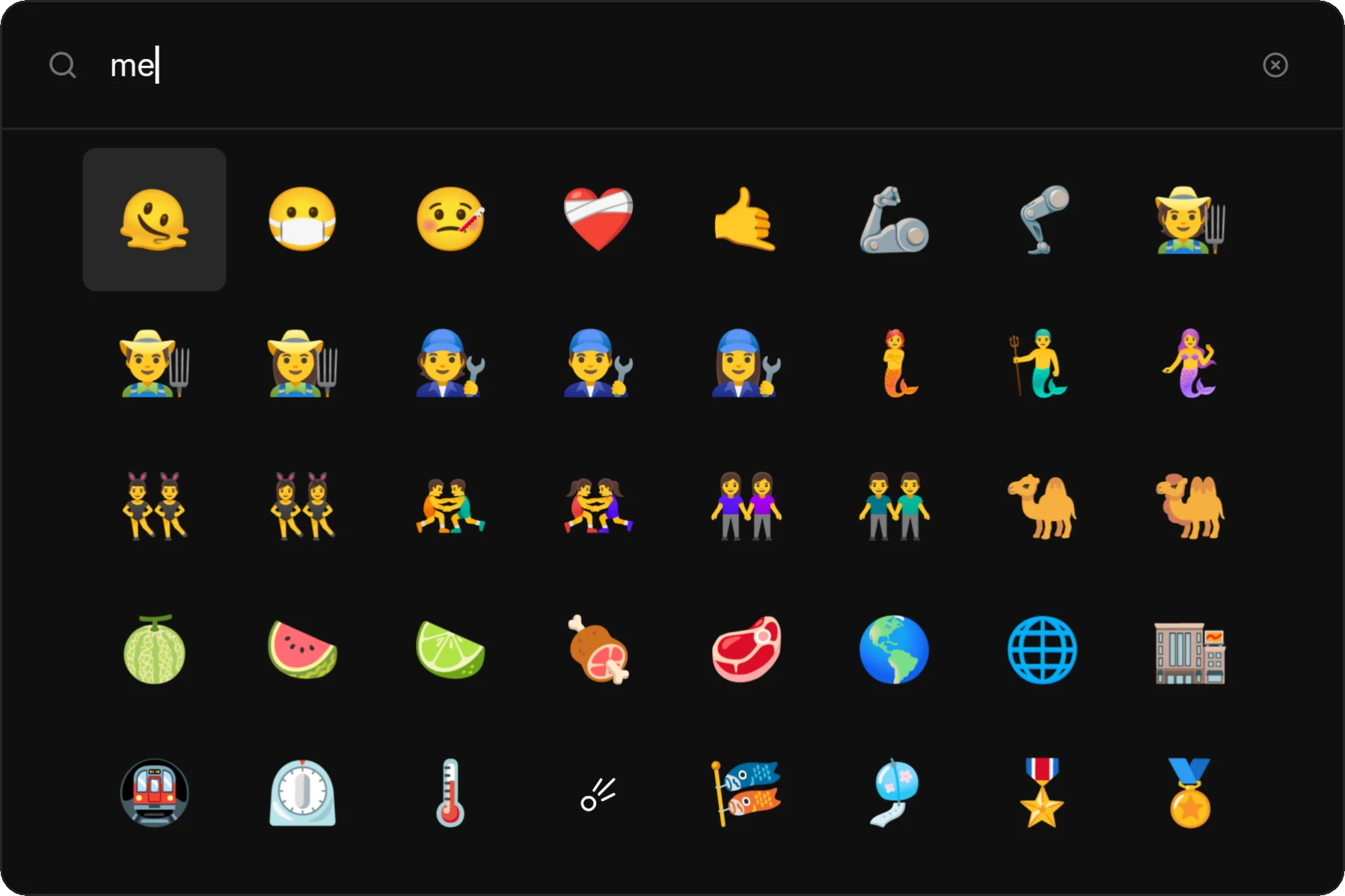
Search and copy emojis
The emojis module provides a searchable emoji picker.
Usage
Open emoji mode
zlaunch show --modes emojisBrowse or search
Type to filter emojis by name, or use arrow keys to navigate the grid.
Press Enter
The selected emoji is copied to your clipboard.
Navigation
| Key | Action |
|---|---|
↑ ↓ ← → | Navigate grid |
Tab | Next emoji |
Shift+Tab | Previous emoji |
Enter | Copy selected emoji |
Searching
Type to filter emojis by name:
| Query | Results |
|---|---|
smile | 😀 😄 😊 🙂 |
heart | ❤️ 💜 💙 💚 |
cat | 🐱 🐈 😺 😸 |
Grid Layout
The emoji grid displays 8 columns by default. This is configurable via custom themes:
[emoji]
columns = 8
cell_size = 72.0
Quick Access
zlaunch show --modes emojis
# or
zlaunch show --modes emoji
Hyprland:
bind = SUPER, E, exec, zlaunch show --modes emojisNiri:
binds {
    Mod+E { spawn "zlaunch" "show" "--modes" "emojis"; }
}